/Logo%202023%20final%20dunkelgrau.png?width=221&height=97&name=Logo%202023%20final%20dunkelgrau.png)





















In addition to manual data maintenance in SAP Datasphere, which we discussed in the article Manual data collection and maintenance in SAP Datasphere, it is also possible to upload the data via a flat file. In this article, we explain how it works and what you need to bear in mind.
Datasphere offers an import from CSV files as a standard function in the Data Builder. In addition to uploading data into an existing table, it is also possible to create a new table including data based on a CSV file. The system automatically recognises the contents of the file and suggests a suitable data type for each column. In this article, however, I will focus on importing data into a table that has already been created.
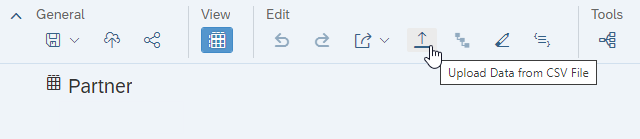
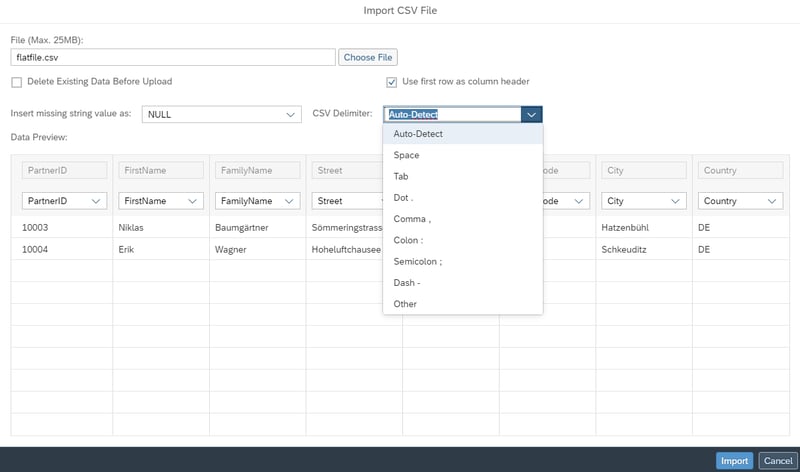
To load data from a flat file into an existing table, select the Upload data from CSV file option under the Edit section and then select the file to be uploaded. Please note the restriction that the file size cannot exceed 25MB.
You can then define the separator and specify how missing values should be inserted. A data preview is also displayed in the same dialogue. You can assign the columns to the file manually or use the first row as a column header. This automatically assigns all columns in the file to the table columns. You can also select the option to delete existing data before uploading. This allows you to ensure the consistency of the data.
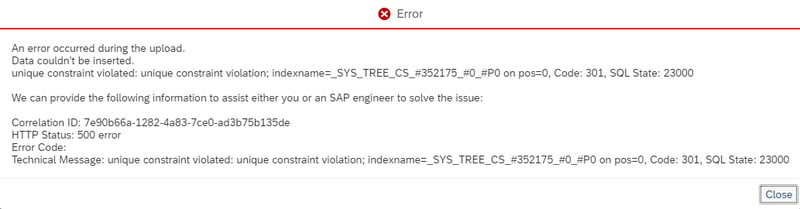
During the upload, the progress is displayed so that you as a user can track the status. When uploading data with the same key, an error message is displayed, but it is very cryptic - "unique constraint violation". This shows that this function is aimed more at the IT department than the business users.
NextTables as an alternative
Our tried-and-tested NextTables solution, on the other hand, is completely focussed on the business users and is designed to close the gaps in data maintenance in SAP Datasphere. The version for Datasphere includes all the functions that you already know and appreciate from the on-premises version.
You can create new tables, add new data or edit existing data directly in the browser with live write-back synchronization. Alternatively, you can upload Excel and CSV files using drag & drop. Data quality is guaranteed by integrated technical checks and user-defined validation logic. The modern and business-oriented user interface is aimed at business users and ensures that they quickly become familiar with the tool.
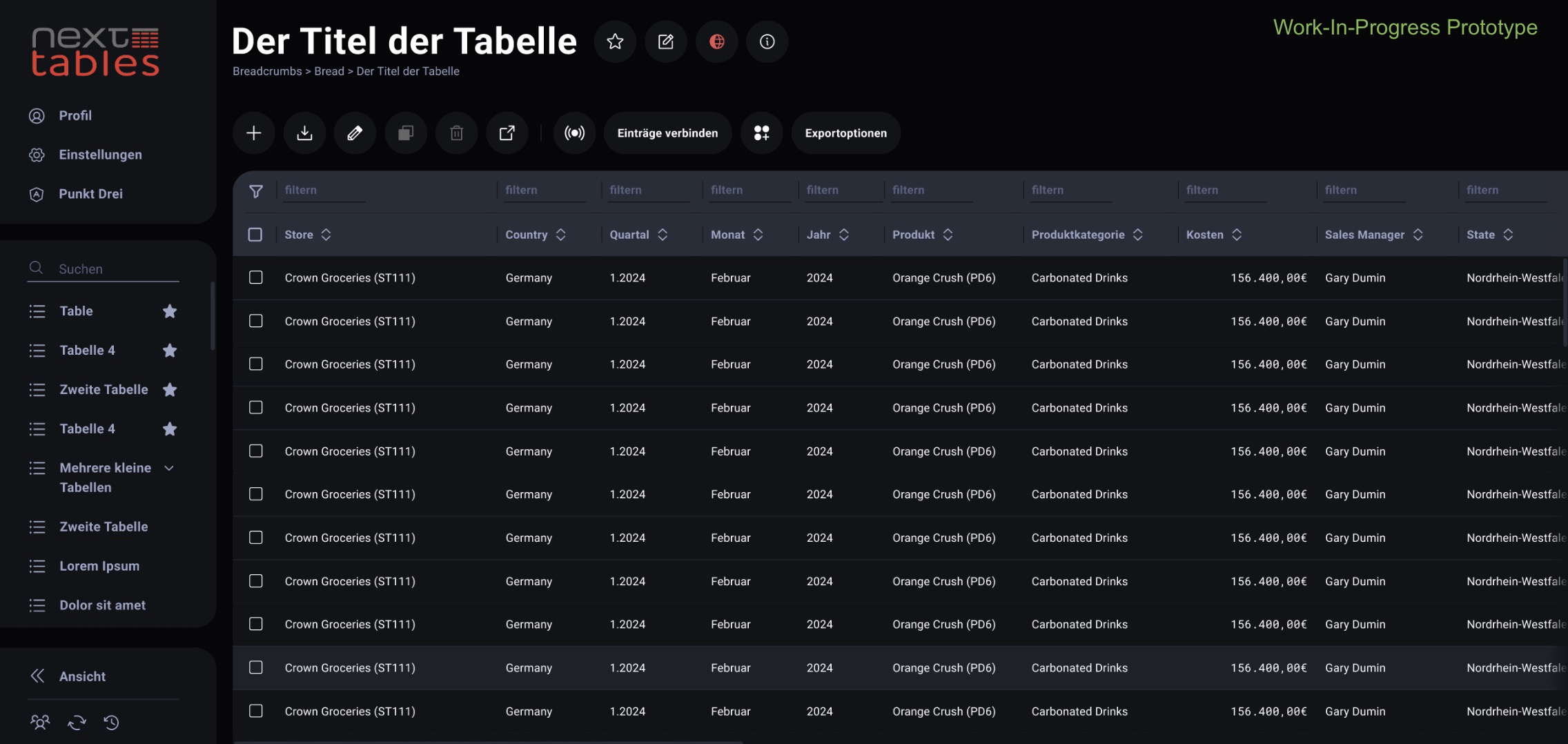
Furthermore, NextTables for SAP Datasphere offers the IT department numerous customisation options to meet individual requirements. In addition to SAP Datasphere, other databases will also be supported.
Sounds interesting? The integration of SAP Datasphere with NextTables is available today. See what it does on the NextTables platform page.
Would you like to learn more about NextTables? Here we present the current version of NextTables in detail and show you all possible applications in the capability overview. Or do you have questions about SAP Datasphere? Are you trying to build up the necessary know-how in your department or do you need support with a specific issue? We are happy to help you. Simply contact us!