/Logo%202023%20final%20dunkelgrau.png?width=221&height=97&name=Logo%202023%20final%20dunkelgrau.png)




















The ability to enter data directly into a table is one of the most common requirements we encounter in every project. Regardless of whether it is a BW on HANA, BW/4HANA or Datasphere project. As there have been more and more SAP Datasphere implementations recently, we are also increasingly confronted with this requirement. In this article, I will show you how manual data maintenance is possible in SAP Datasphere and also present possible alternatives.
SAP Datasphere Data Editor
The ability to enter data directly into the table reduces the effort required to obtain suitable data for analytical use cases. Data maintenance is simplified and the efficiency of business users is increased.
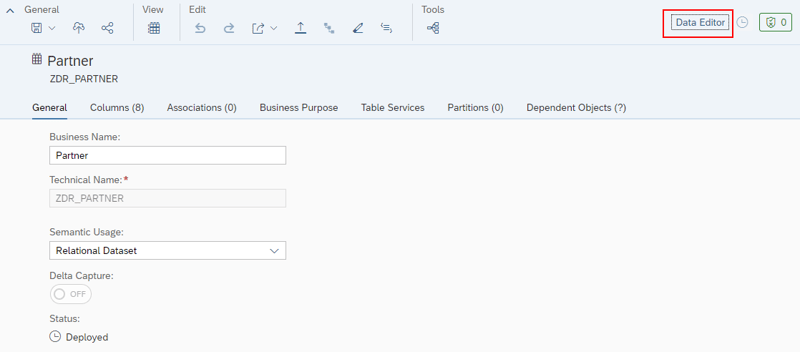
SAP Datasphere offers the table editor for manual data entry and maintenance. You can use this integrated tool to add, edit, duplicate or delete data records in the local table. To do this, select the table you want to maintain on the Data Builder initial page and then click on the Data Editor button in the top right-hand corner.
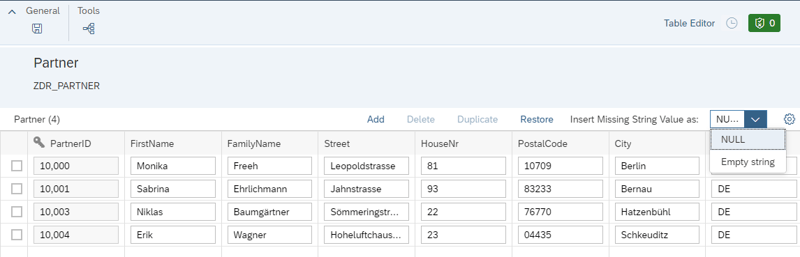
You can now add new data records or adjust existing ones. Please note that the key columns of existing data records cannot be edited. If your input does not include all of the existing columns, i.e. some columns remain empty, you can set whether empty string values are inserted as NULL (initial) or empty values. All new empty cells that contain strings will be automatically filled with the selected value.
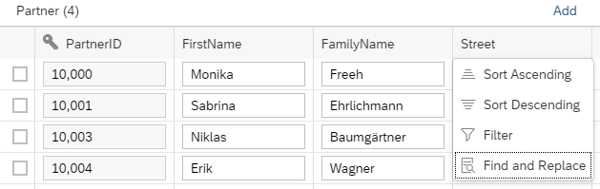
Existing lines can be duplicated and adjusted. This is particularly useful if multiple data records need to be entered that only differ in one characteristic. Several empty rows can also be added at once, but the rows cannot be filled by copying and pasting Excel rows. To edit several data records at once, you can also use the find and replace function.
Unwanted changes - such as accidentally changed or deleted values in columns - can be undone using the Restore button. Unfortunately, deleted rows cannot be restored.
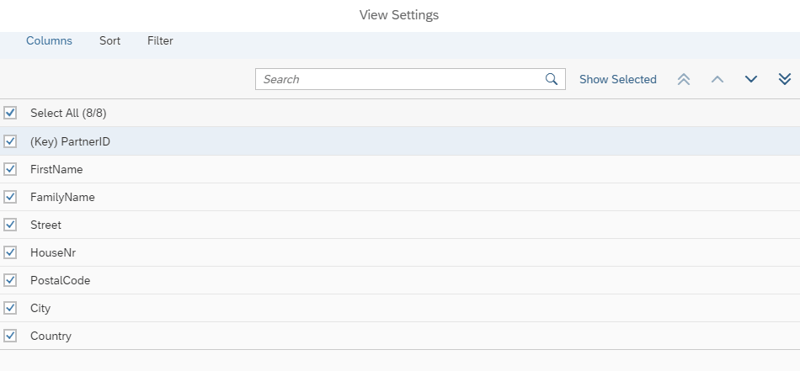
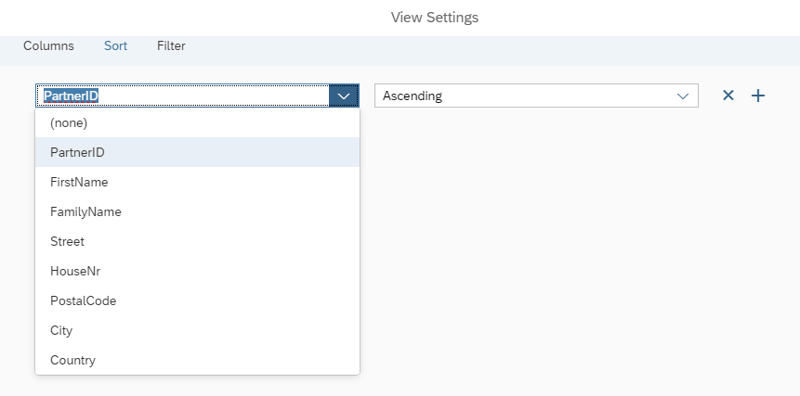
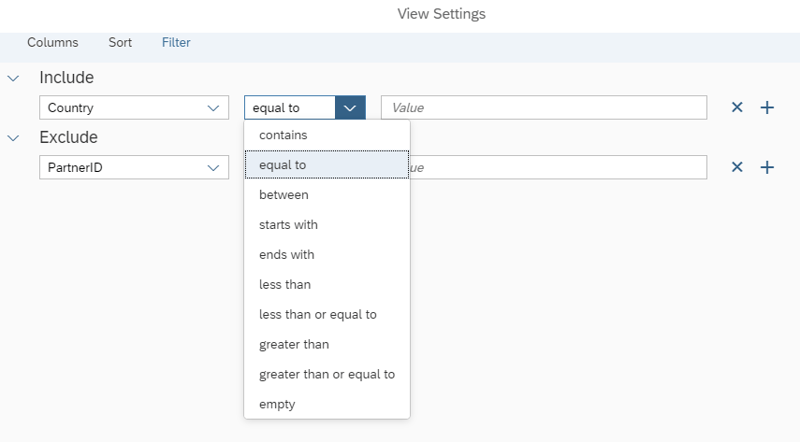
SAP Datasphere also offers the option of hiding certain columns and adjusting the sorting via settings. Users can also use filters to restrict data maintenance to certain values.
In addition to manual data entry, a flat file upload is also possible. This option is covered in a separate article.
Limitations
SAP Datasphere Data Editor offers the basic functions required for data maintenance. However, in addition to the weaknesses already mentioned, there are other limitations. For example, I find it unfortunate that the data can be imported into the table but not exported again. This requires a detour via the database explorer. A corresponding database user must be created in the respective space. As a result, users have to find their way around another tool. While the data editor is still relatively easy to use, I am afraid that users from the business department will be overwhelmed by the database explorer.
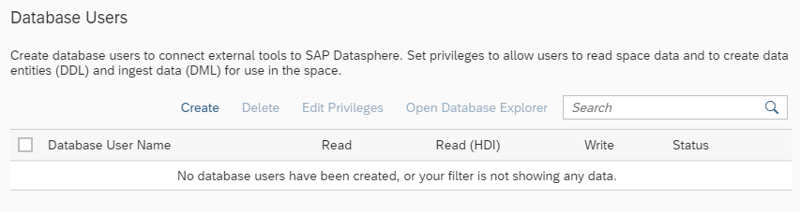
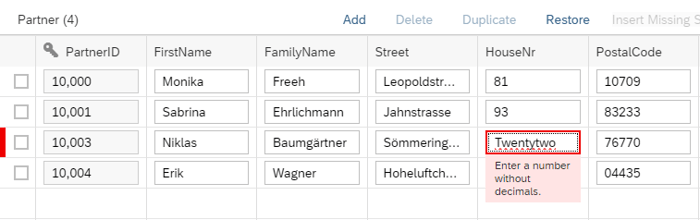
In addition, only a technical validation of the data takes place. For example, it is not possible to enter letters in number fields. However, the values entered are not checked semantically. It is currently not possible to ensure that users enter meaningful data. Moreover, the value help is missing, so the user does not receive any help in finding valid values. Furthermore, it is not possible to lock certain fields and thus protect them from changes.
NextTables as alternative
To address these weaknesses, NextLytics brings the proven NextTables solution to Datasphere. NextTables supports the maintenance and processing of data in SAP Datasphere and provides all the functions you already know and appreciate.
This allows you to add new data or edit existing data directly in the browser. Alternatively, you can also upload Excel and CSV files using drag & drop. Data quality is ensured thanks to the integrated technical check and user-defined validation logic. The state-of-the-art and business-oriented user interface is optimized for business users and ensures that they quickly get familiar with the tool.
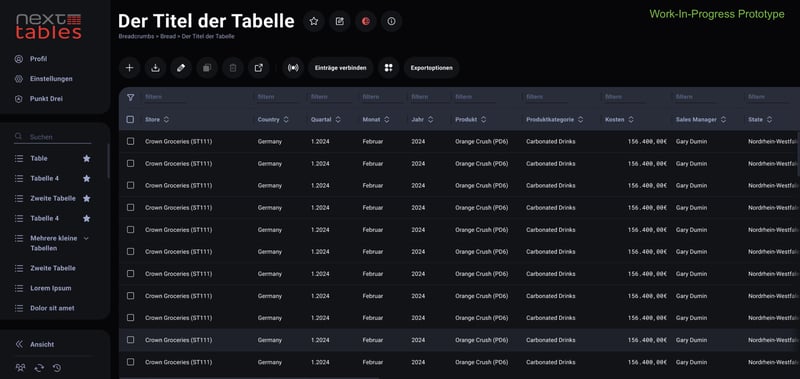
In addition, NextTables for SAP Datasphere offers many customization options for the IT department to take possible customization requests into account. In addition to SAP Datasphere, other databases are also supported. Sounds interesting? The SAP Datasphere integration with NextTables is available today.
NextTables for SAP Datasphere is available today. See what it does on the NextTables platform page.
Would you like to learn more about NextTables? Here we present the current version of NextTables in detail and show you all possible applications in the capability overview. Or do you have questions about SAP Datasphere? Are you trying to build up the necessary know-how in your department or do you need support with a specific issue? We are happy to help you. Simply contact us!